OKAY

AMPLIFY

OKAY

OKAY

AMPLIFY

AMPLIFY

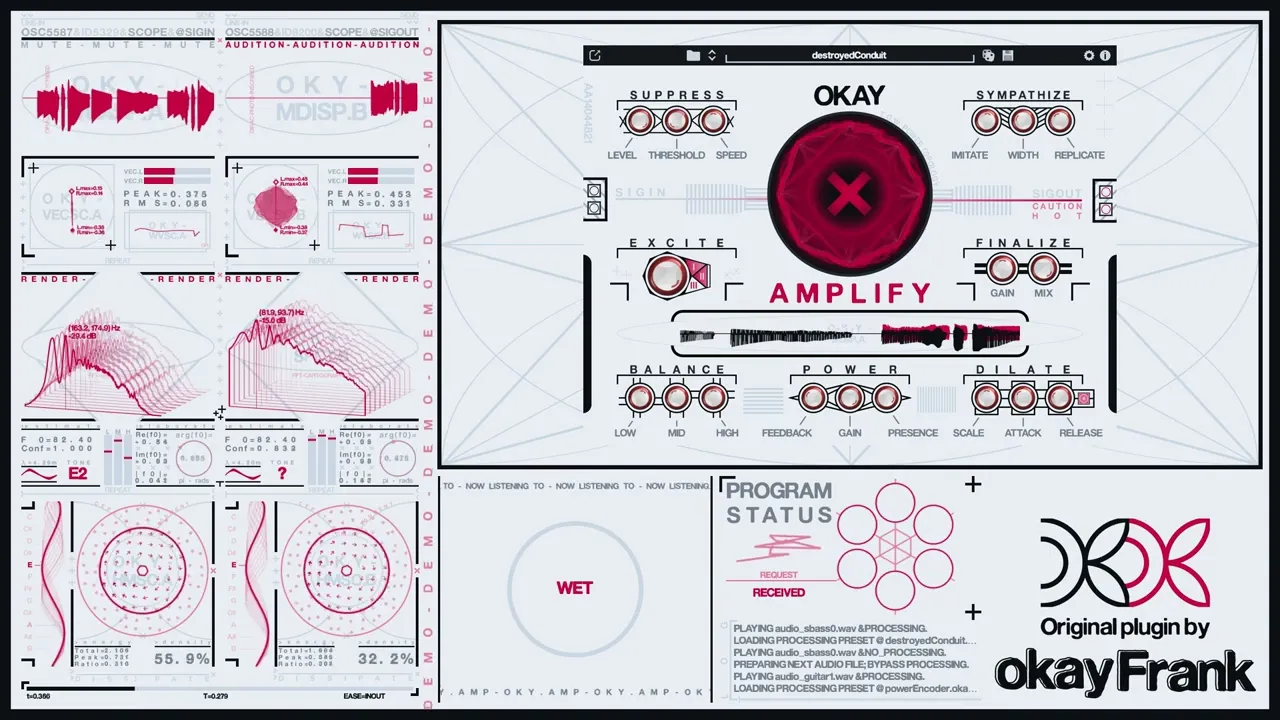
a reactive distortion engine that lets you carefully sculpt your sound, or blow it up completely

Available now, use code LETSAMPLIFY for an early adopter discount.

Purchase Now

AMPLIFIER CORE

A classic push-pull tube power stage keeps tone tight and focused even under heavy drive.


Negative feedback keeps things under control, while presence reduces the amount of feedback in the highs for a brighter sound.

Want to dive deeper? Take a look through the manual here.

Click on a section to learn more about it.

AMPLIFIER CORE

A classic push-pull tube power stage keeps tone tight and focused even under heavy drive.


Negative feedback keeps things under control, while presence reduces the amount of feedback in the highs for a brighter sound.

Want to dive deeper? Take a look through the manual here.

Click on a section to learn more about it.

AMPLIFIER CORE

A classic push-pull tube power stage keeps tone tight and focused even under heavy drive.


Negative feedback keeps things under control, while presence reduces the amount of feedback in the highs for a brighter sound.

Want to dive deeper? Take a look through the manual here.

LISTEN TO IT IN ACTION

COMPATIBILITY

okayAmplify is available for both Windows (Windows 10 and up, 64-bit) and macOS (Intel + Apple Silicon) in VST3 and AU formats. It's been tested with the following DAW's:

FL Studio

Ableton Live

FL Studio

Ableton Live

Logic Pro

GarageBand

Bitwig

Cubase

Reaper

Logic Pro

Bitwig

Reaper

GarageBand

Cubase

If your preferred DAW is not listed above and it natively supports VST3/AU plug-ins, I'll do my best to resolve any issues should they arise in a timely manner and offer a full refund if I'm unable to do so.

Pay once, own it forever with all future updates included.

Download, install, use—it just works out of the box.

No internet connection required after install, no data collection.

Support future updates, plug-ins, and indie development.

OKAY, LET'S AMPLIFY

AVAILABLE NOW FOR PURCHASE

Purchase Now

Use code LETSAMPLIFY for an early adopter discount.

Frequently Asked Questions

Is this going to work with my DAW not listed above?

I have an issue with downloading or installing, how do I fix it?

I need to redownload my purchase/see my order details again, where do I do that?

I'm on Windows and get a warning message when trying to run the installer, what's that?

Is an internet connection required?

I have a stereo input but the output is in mono, why is this happening?

How can I contact you?

How can I get notified when you release something new?